Documents
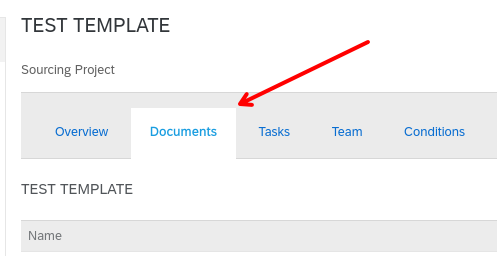
Inside a template, on the Documents tab, specific actions can be found to interact with documents.
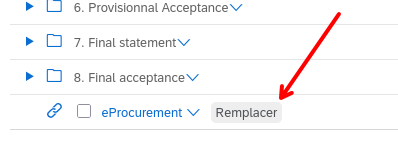
Replace
A button is available to replace the file associated to a document
This will navigate to the screen where user can click on a file input button, then browse it’s device for a new file.
After submitting the file, it will continue the workflow and return to the Document tab.
Limitations / bugs
If the document is not a file, or it has no “Replace document” contextual menu, then the action will fail.
Potential improvements
We could detect for each item if action exists, then only display button for those items.
Delete
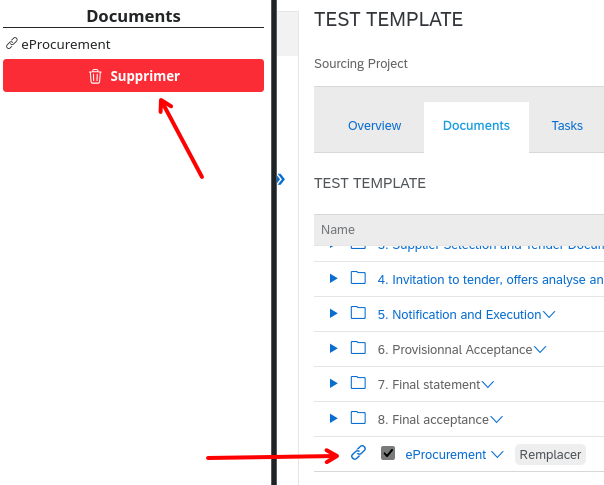
When selecting one or multiple documents via the checkboxes, you are able to delete them.
Limitations / bugs
Sometimes, document cannot be deleted, because they are linked to other items, like tasks.
This would result in the sequence being aborted.
Potential improvements
Maybe we could detect and remove non-deletable items from the list.